Grubhub rolls out more campus locations
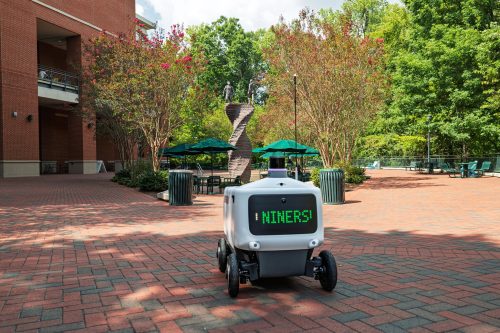
You can now order Grubhub robot delivery from more than 15 retail dining locations on campus, including Subway, Bojangles, Panda Express, Shake Smart, Wild Blue Sushi and more!
Check out the Grubhub app for a full list of available locations.
How to Order
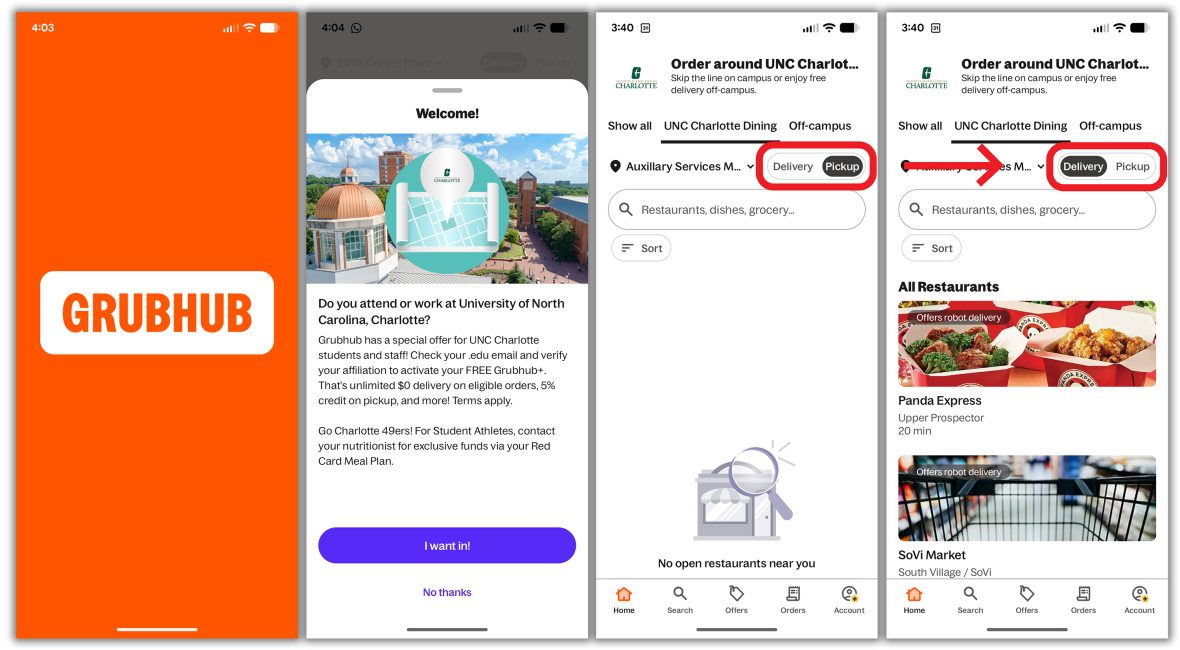
After you download the Grubhub app and set up or log in to your account, follow these steps to order on-campus robot delivery:
- Open the app while on campus to get the prompt to access UNC Charlotte Dining.
- Set your delivery location from the drop-down list. (Robots can only deliver to specific drop off points on campus).
- Select “Delivery” in the “Delivery/ Pickup” option slider. If you don’t select “Delivery,” you won’t be able to see eligible dining locations.
- Now you can order from your favorite dining spots on campus!
Payment
To pay with a campus spending account like Declining Balance, Optional Dining Account or your 49er Account, just add your 49erd Card in the payment options.
You can also pay with a credit or debit card.
Do you have free deliveries with your meal plan? Check your Charlotte inbox for your free delivery code! Didn’t get the code? Email dining@charlotte.edu with your 800 student ID.